Monitoring AI Agent Activity: Tracking Crawler Visits via CDN Workflows
Standard analytics platforms like GA4 or Adobe Analytics are built for human sessions. They intentionally filter out bot traffic to preserve data integrity for marketing teams. However, for a CTO or engineering-focused founder, this filtering creates a massive blind spot. If you cannot see the AI crawlers hitting your infrastructure, you cannot optimize your brand’s visibility in generative search engines.
As of 2026-04-29, AI-specific crawlers account for nearly 50% of all non-human web traffic. These agents—ranging from training bots like GPTBot to real-time retrieval agents like OAI-SearchBot—are the primary gatekeepers of your brand’s presence in LLM responses. To manage this, you must move tracking upstream to the CDN layer.
The AI Crawler Landscape (2026)
AI agents are no longer a monolithic category. Major providers have split their crawlers into distinct functions: training, search indexing, and live user-triggered browsing. Your tracking strategy must distinguish between these to avoid blocking the very bots that drive citations.
| Crawler | Operator | Primary Purpose | User-Agent String |
|---|---|---|---|
| GPTBot | OpenAI | Model Training | GPTBot |
| OAI-SearchBot | OpenAI | Search Indexing | OAI-SearchBot |
| ChatGPT-User | OpenAI | Live Browsing | ChatGPT-User |
| ClaudeBot | Anthropic | Training/Indexing | ClaudeBot |
| Claude-SearchBot | Anthropic | Search Indexing | Claude-SearchBot |
| PerplexityBot | Perplexity | Search Indexing | PerplexityBot |
| Applebot-Extended | Apple | AI Training Opt-out | Applebot-Extended |
| Meta-ExternalAgent | Meta | Llama Training | Meta-ExternalAgent |
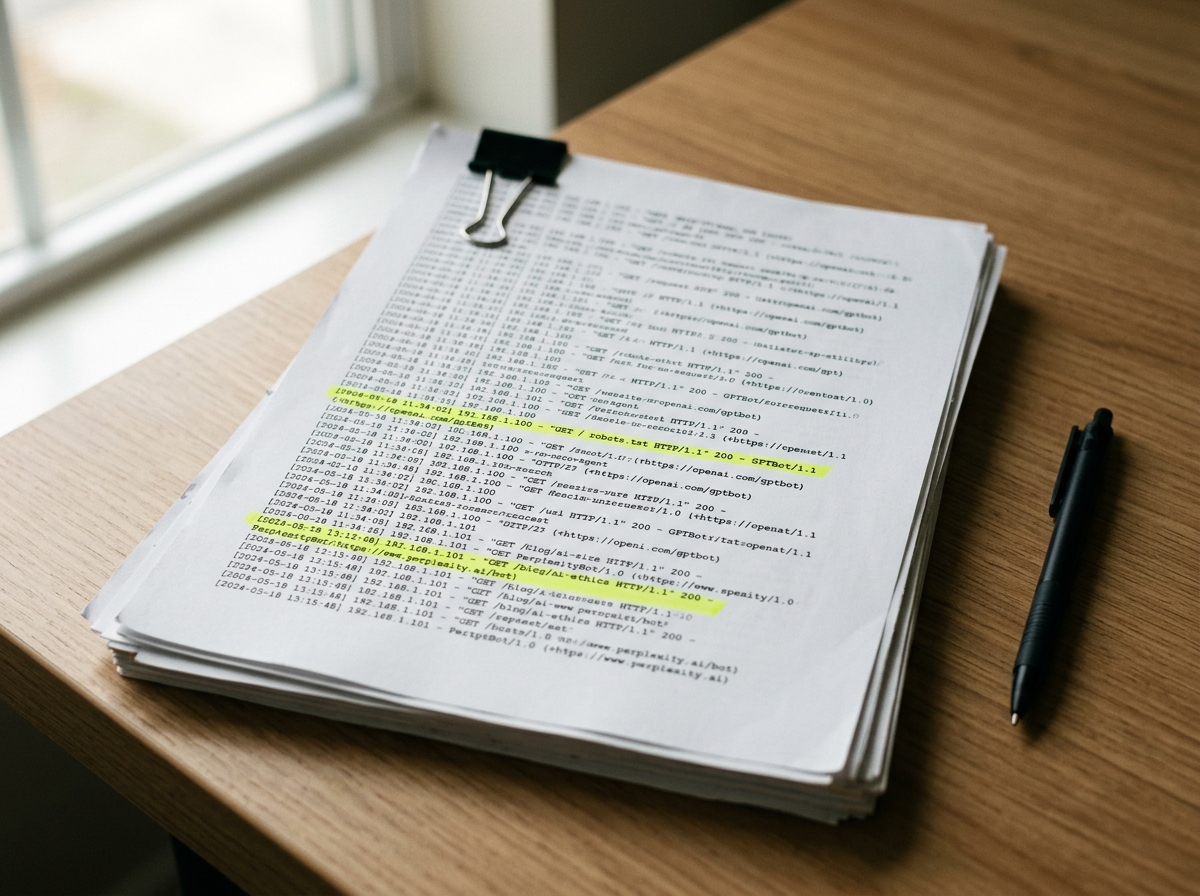
Tracking these agents requires capturing the User-Agent and CF-IPCountry (or equivalent) headers before they are stripped or ignored by application-level tracking scripts.
Connecting CDN Logs to Olwen
Olwen automates the ingestion of CDN logs to provide a real-time dashboard of AI agent activity. This bypasses the limitations of client-side tracking. The workflow involves streaming logs from your CDN provider (Cloudflare, Fastly, or AWS CloudFront) to a storage bucket, which Olwen then parses for agent-specific patterns.
Cloudflare Logpush Workflow
- Enable Logpush: Navigate to the Cloudflare Analytics & Logs dashboard. Create a Logpush job targeting an S3-compatible bucket.
- Filter Fields: Ensure you include
ClientRequestUserAgent,ClientRequestPath,ClientIP, andEdgeResponseStatus. - Connect to Olwen: Provide Olwen with read-access to the S3 bucket. Olwen’s engine identifies AI agents by matching User-Agent strings against its verified database of 2026 crawler signatures.
AWS CloudFront Real-Time Logs
- Create Log Config: Set up a real-time log configuration with a sampling rate of 100%.
- Kinesis Data Stream: Route logs through Kinesis to an S3 bucket or a Lambda function that pushes data to the Olwen API.
- Path Analysis: Olwen maps these hits to your site architecture to identify which content clusters are being prioritized by specific LLMs.
Identifying High-Frequency Paths
AI agents do not crawl like Googlebot. While traditional search engines prioritize fresh content and backlink depth, AI agents prioritize high-density information nodes. Through CDN monitoring, Olwen identifies three high-frequency paths that typically see the most AI activity:
- Documentation (
/docs,/help): Technical agents like ClaudeBot and GPTBot heavily index documentation to answer "how-to" queries. If these paths show high 404 rates or slow response times in your logs, your brand will be hallucinated or omitted in technical LLM prompts. - Pricing and Comparison Pages: PerplexityBot and OAI-SearchBot frequently hit pricing tables to satisfy transactional intent. Olwen tracks these hits to ensure your structured data is being parsed correctly.
- FAQ and Knowledge Bases: These are the primary sources for "What is [Brand]?" queries. Spikes here often precede updates in the knowledge cutoff or retrieval-augmented generation (RAG) caches of major models.
Correlating Crawler Spikes with Brand Mentions
The value of tracking crawler visits lies in correlation. Olwen monitors your brand mentions across frontier AI systems and maps them against crawler activity.
When you see a spike in OAI-SearchBot activity on your /features page, Olwen monitors ChatGPT Search for changes in how your product is described. If a competitor’s visibility increases while your crawler hits remain flat, it indicates a crawl budget issue or a robots.txt restriction that is throttling your AI discoverability.
Olwen provides a "Visibility Delta" report, showing the lag time between a crawler visit and a change in LLM output. In 2026, this lag has shrunk to as little as 15 minutes for real-time search agents.
Adjusting Robots.txt and Sitemap Priority
Once you identify which bots are visiting which paths, you must optimize your control files. A generic robots.txt is no longer sufficient. You need granular directives to manage the trade-off between training (which uses your data to build models) and search (which drives traffic to your site).
The 2026 Robots.txt Standard
To maximize GEO (Generative Engine Optimization), allow search-specific bots while restricting training bots if you have proprietary data concerns.
# Allow AI Search to drive traffic
User-agent: OAI-SearchBot
Allow: /

User-agent: Claude-SearchBot
Allow: /

User-agent: PerplexityBot
Allow: /

# Restrict Training to protect IP
User-agent: GPTBot
Disallow: /private-docs/

User-agent: ClaudeBot
Disallow: /internal-research/
Implementing llms.txt
As of 2026, the llms.txt proposal has become a standard for providing AI agents with a curated, markdown-based map of your site. Olwen automatically generates and updates your /llms.txt file based on the high-frequency paths identified in your CDN logs. This file serves as a "fast track" for LLMs, pointing them directly to the most relevant, clean markdown versions of your content.
Automating Fixes via Repo and CMS Integration
Tracking is only the first step. When Olwen identifies that an AI agent is failing to parse a specific page—indicated by repeated hits with high latency or low citation rates—it generates technical fixes.
Olwen connects directly to your GitHub/GitLab repo and CMS (Contentful, Sanity, or WordPress) to ship these improvements.
- Schema Injection: If logs show
OAI-SearchBothitting a product page but the brand is not appearing in ChatGPT Search, Olwen generates the missingProductorOrganizationschema and creates a PR to inject it into the page metadata. - FAQ Generation: Olwen identifies the questions AI agents are trying to answer by analyzing the paths they visit. It then generates FAQ sections in your CMS to provide clear, concise answers that agents can easily ingest.
- Automated Publishing: By connecting your CDN workflow to your CMS, Olwen ensures that any content optimized for AI is immediately purged from the edge cache, forcing a re-crawl by the relevant agents.

Technical Takeaways for Engineering Teams
To maintain a competitive edge in AI search visibility, your engineering team should implement the following workflow:
- Log Streaming: Move from client-side analytics to CDN-level log streaming to capture 100% of AI agent activity.
- Agent Differentiation: Use Olwen to distinguish between training bots and search bots. Do not blanket-block AI agents unless you are prepared to be invisible in generative search.
- Path Optimization: Prioritize the performance and readability of
/docsand/llms.txt. These are the primary entry points for modern AI agents. - Closed-Loop GEO: Use the correlation between crawler hits and brand mentions to justify technical debt spent on structured data and metadata improvements.
Olwen eliminates the need for a dedicated GEO team by turning these technical insights into automated workflows. By connecting your CDN, repo, and CMS, you ensure your brand is not just crawled, but correctly understood and cited by every major AI system active in 2026.