AI Crawler Tracking: Monitoring Bot Traffic via CDN Workflows
Standard server-side logging is insufficient for tracking AI crawlers in 2026. Because modern CDNs cache up to 90% of static and semi-dynamic content, your origin server never sees the majority of bot activity. To understand how models like GPT-4o or Claude 3.5 Sonnet are consuming your data, you must move tracking to the edge.
Olwen tracks where AI systems mention your brand and where competitors are winning. This guide outlines the technical workflow for capturing raw crawler data at the CDN level, filtering for specific AI user agents, and using those insights to adjust your indexing strategy.
Configure CDN Log Exports
Capturing bot traffic requires a real-time or batch-processed log export from your CDN provider. As of 2026-04-29, the primary methods for the major providers are as follows:
Cloudflare Logpush
Cloudflare Logpush is the standard for high-volume environments. It allows you to push HTTP request logs directly to a cloud storage bucket or a data warehouse like BigQuery or Snowflake.
- Select Dataset: Choose the
http_requestsdataset. - Filter Fields: At a minimum, include
ClientRequestUserAgent,ClientRequestPath,ClientIP, andEdgeResponseStatus. - Destination: Configure a BigQuery destination for direct SQL querying. As of early 2026, Cloudflare supports native BigQuery integration, removing the need for intermediary GCS buckets.
AWS CloudFront Real-Time Logs
Standard CloudFront logs (delivered to S3) often have a 15-30 minute delay. For real-time visibility into AI crawler behavior, use Real-Time Logs via Kinesis Data Streams.
- Create Kinesis Stream: Provision a stream with enough shards to handle your peak request volume.
- Configure Log Config: Create a real-time log configuration in the CloudFront console, selecting the specific fields (User-Agent, URI, etc.) you need.
- Attach to Behavior: Apply the log configuration to your primary cache behaviors.
Filter User Agents for Known AI Crawlers
AI companies now differentiate between training bots and search/action bots. Your tracking logic must distinguish between these to avoid blocking traffic that could lead to citations. As of 2026-04-29, these are the primary user agents to monitor:
| Crawler Name | Owner | Primary Purpose | User-Agent String Fragment |
|---|---|---|---|
| GPTBot | OpenAI | Model Training | GPTBot |
| OAI-SearchBot | OpenAI | Search/Citations | OAI-SearchBot |
| ChatGPT-User | OpenAI | Real-time User Action | ChatGPT-User |
| ClaudeBot | Anthropic | Model Training | ClaudeBot |
| Claude-SearchBot | Anthropic | Search/Citations | Claude-SearchBot |
| PerplexityBot | Perplexity | Search/Citations | PerplexityBot |
| Google-Extended | Gemini Training | Google-Extended | |
| Applebot-Extended | Apple | Apple Intelligence | Applebot-Extended |
| Meta-ExternalAgent | Meta | Llama Training | Meta-ExternalAgent |
Verification via IP Ranges
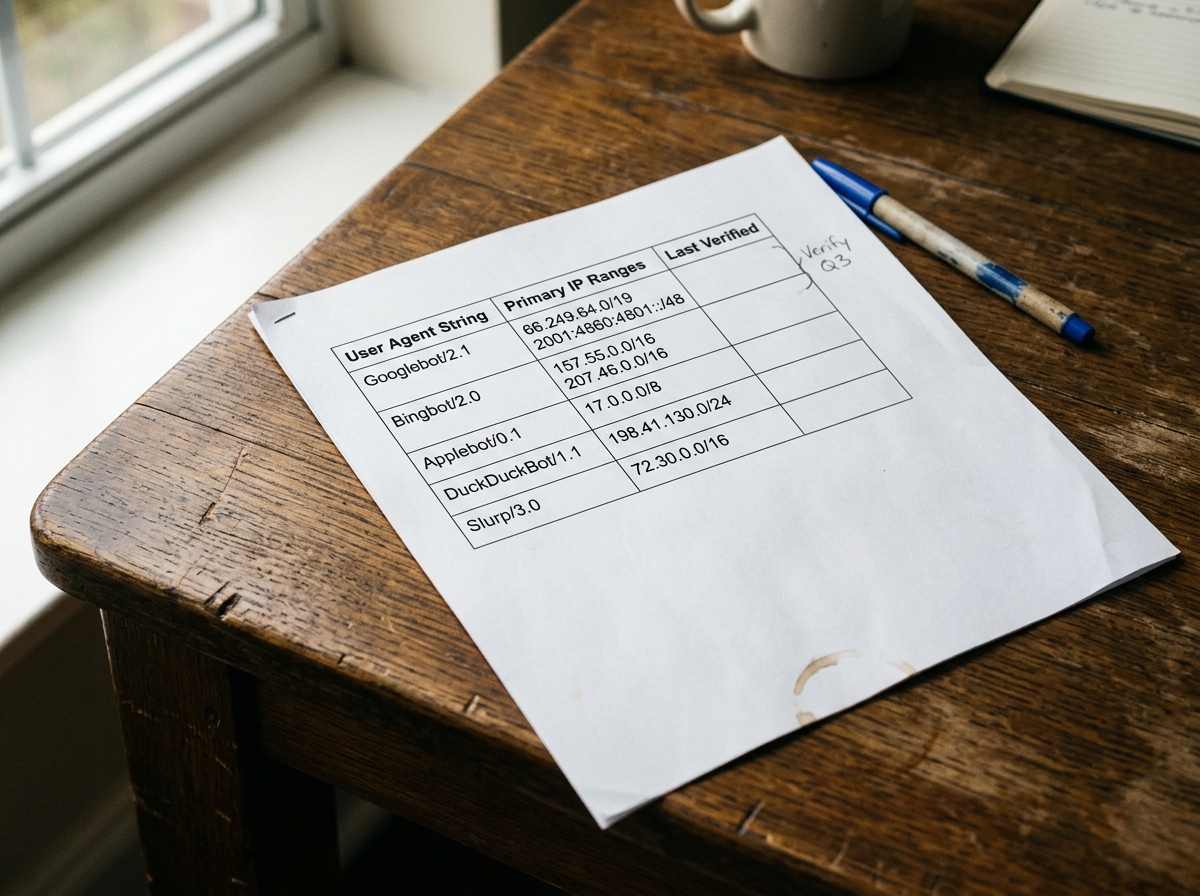
User-agent strings are easily spoofed. To ensure the traffic is legitimate, verify the source IP against the published ranges of the AI providers.
- OpenAI: Provides a JSON file of IP ranges for GPTBot.
- Anthropic: Publishes IP ranges for ClaudeBot via their documentation.
- Google: Uses the standard Googlebot IP verification process (reverse DNS lookup).
Olwen automates this verification by cross-referencing your CDN logs with known provider IP lists, ensuring your visibility metrics aren't skewed by scraper bots masquerading as frontier AI models.
Implement Edge Functions for Real-time Tagging
Instead of waiting for log processing, use edge compute (Cloudflare Workers, AWS Lambda@Edge, or Fastly Compute) to tag AI traffic as it happens. This allows you to pass custom headers to your origin or trigger specific logic for AI bots.
Example: Cloudflare Worker for AI Tagging
addEventListener('fetch', event => {
  event.respondWith(handleRequest(event.request))
})

async function handleRequest(request) {
  const userAgent = request.headers.get('User-Agent') || '';
  const aiBots = ['GPTBot', 'OAI-SearchBot', 'ClaudeBot', 'PerplexityBot', 'Google-Extended'];

  let isAiBot = aiBots.some(bot => userAgent.includes(bot));

  if (isAiBot) {
    // Clone the request and add a custom header for origin tracking
    const newRequest = new Request(request, {
      headers: new Headers(request.headers)
    });
    newRequest.headers.set('X-Is-AI-Bot', 'true');
    newRequest.headers.set('X-AI-Bot-Name', userAgent);

    return fetch(newRequest);
  }

  return fetch(request);
}
This workflow enables your origin server to log AI hits in your standard application logs, providing a secondary source of truth. It also allows you to serve "AI-optimized" versions of pages—such as those with expanded schema or simplified markdown—specifically to these agents.
Track Hit Rates on High-Value Paths
Not all crawl activity is equal. AI models often prioritize specific directories that contain high-density information. Monitor the following paths to understand what the models are "learning" about your brand:
- Documentation and Help Centers: High-value for technical product understanding.
- Pricing Pages: Frequently crawled by models to answer "how much does X cost?" queries.
- Blog and Case Studies: Used to establish brand authority and sentiment.
- Product Metadata (JSON-LD): AI bots often target the
<script type="application/ld+json">blocks directly.
Analyzing Crawl Frequency
If a model like PerplexityBot is hitting your pricing page daily but your documentation only once a month, your brand visibility in "how-to" queries will suffer. Olwen identifies these gaps by mapping crawler frequency against your target GEO keywords. If a competitor's documentation is being crawled 5x more frequently, Olwen generates the necessary site fixes—such as improved internal linking or sitemap prioritization—to redirect bot attention.
Adjust Robots.txt for Prioritized Indexing
In 2026, a binary "allow all" or "block all" approach to robots.txt is a strategic error. You must differentiate between training and search.
The Differentiated Strategy
- Block Training Bots (Optional): If you want to prevent your data from being used to train future models without compensation, block
GPTBot,ClaudeBot, andGoogle-Extended. - Allow Search Bots (Critical): Always allow
OAI-SearchBot,Claude-SearchBot, andPerplexityBot. These bots power the real-time search features that cite your brand and drive traffic. - Prioritize High-Value Paths: Use the
Allowdirective for specific high-value directories to ensure they are prioritized in the crawl budget.
Example Robots.txt for 2026
User-agent: GPTBot
Disallow: / # Block training

User-agent: OAI-SearchBot
Allow: / # Allow search citations

User-agent: PerplexityBot
Allow: / # Allow search citations

User-agent: Google-Extended
Disallow: / # Block Gemini training

User-agent: *
Allow: /docs/
Allow: /blog/
Sitemap: https://www.yourdomain.com/sitemap.xml
Connect Repo and CMS for Automated Publishing
Monitoring is only the first step. The goal of tracking AI crawlers is to react to their behavior. When Olwen detects that an AI model is failing to cite your brand for a specific category, it identifies the technical reason—often a lack of structured data or poor semantic density on the relevant pages.
Olwen connects directly to your GitHub/GitLab repo or your CMS (Contentful, Sanity, WordPress) to ship these fixes automatically.
- Identify Gap: Olwen sees that
OAI-SearchBotis crawling your "Enterprise Security" page but ChatGPT is still citing a competitor. - Generate Fix: Olwen generates a new FAQ section and updated Schema.org markup for that page.
- Automated PR: Olwen opens a Pull Request in your repo or creates a draft in your CMS with the optimized content.
- Verify: Once published, Olwen tracks the next visit from
OAI-SearchBotto confirm the new data was consumed.

Improve Metadata and Structured Data
AI crawlers are increasingly reliant on structured data to parse complex information. While traditional SEO uses Schema.org for rich snippets, GEO uses it for entity relationship mapping.
Ensure your CDN-level tracking includes monitoring for hits on your /llms.txt file. This is a 2026 standard for providing a markdown-based map of your site specifically for LLMs. If you don't have an llms.txt file, or if it hasn't been crawled in the last 30 days, your brand's "semantic footprint" is likely outdated.
Olwen generates and maintains your llms.txt and llms-full.txt files, ensuring that when a frontier model visits your site, it receives the most accurate, high-density version of your brand's value proposition. This reduces the compute cost for the crawler, making it more likely that your site will be prioritized in future crawl cycles.
Track the EdgeResponseBytes for AI crawlers. A sudden drop in bytes transferred to OAI-SearchBot often indicates a rendering issue or a WAF (Web Application Firewall) rule that is inadvertently throttling the bot. Use your CDN's firewall logs to ensure that your security settings aren't treating legitimate AI search bots as malicious actors.
Configure your CDN to alert you when a new AI user agent appears in your logs. The landscape of generative search is volatile; new players emerge frequently. By identifying these bots early, you can ensure your robots.txt and structured data are ready before they become dominant traffic drivers of discovery traffic.